
Train Sim World 7 Training Center
Steam, diesel, and electric tutorials before your first Yorkshire stopper.
What the Training Center is
The Training Center is the Free Starter environment in Train Sim World 7. It is a purpose-built yard and classroom, not a cut-down copy of Airedale & Wharfedale. Open Main Menu > Training Center. New drivers should pick Start Journey, which walks the fundamental modules in order. From there the list splits:
- Tutorials — playable lessons plus video and written guides: navigation, HUD, moving a train, passenger operations, cameras, changing ends, railway navigation, diesel introduction, coupling, cab cars, cruise control, and steam fundamentals.
- Train Modules — a tutorial for each locomotive in your collection, including later Deluxe cabs once those add-ons sit on disk.
- Fundamentals — how to walk, how to read the interface, how a loco actually starts.
- Explore On Foot — wander the yard, find stabled stock, and take something for a spin without a briefing.
- Scenarios — short objective jobs that stay inside the Center so you can practise without a passenger clock.
Help is also on the pause menu under the Help tab (basic operations and train operations). Some entries are written. Some dump you into a tutorial, so save first if you opened Help mid-run.
This is still a single-player sim. The Center does not add a second driver. Other trains here are props and AI, not a second human driver.
Free Starter timing and what you keep
Free Starter Edition is free, yours to keep once claimed, and it arrives with full launch on 15 September 2026. It is not part of Deluxe or Ultimate early access from 10 September 2026. Deluxe owners already have the Training Center because every paid SKU includes it. People who only want the free client wait for the 15th. Compare the four boxes on the editions comparison. Clocks sit on the launch page.
After 15 September 2026 you can buy the three core routes and the Deluxe locomotives separately and assemble your own mix. That path does not open the 10 September early window. It is a post-full-launch shop.
Install in the order described in how to download Train Sim World 7. Free Starter is the bootable shell. Paid routes are extra downloads. An empty menu usually means you launched the shell too early. Close the client and wait.
On the Center you also get Free Roam tools and the Livery Designer. Sharing those paints is Creators Club, which wants a Dovetail Live account. Driving the tutorials does not. Live Weather also wants Live; leave it off until a real route is the point.
Beginner controls, then finish the modules
Turn on beginner controls from Settings > Controls, or choose Beginner during first-time setup as in getting started. At launch that toggle is valid in Timetable and Free Roam. The Center’s own modules still teach the desk; do not skip passenger operations just because simplified driving exists later.
Finish the passenger module and at least one freight or steam module before you treat Yorkshire as unlocked. Coupling, junctions, and signalling are the skills Freight Hauler will assume you already have. The Center is also where Free Roam spawning is introduced, so you are not lost when you later build a train from the collection.
A practical pass:
- Start Journey until the HUD is not a mystery.
- Passenger operations, then coupling.
- Diesel introduction, then steam if you care about fire and water.
- One Center scenario so an objective prompt is familiar.
- Explore On Foot and spawn something in Free Roam.
Leave safety systems off until you can cancel an alerter without panic. AI Conductor can own doors later. The first hours are about moving, stopping, and not fighting a black console.
After the Center: one Class 331 stopper
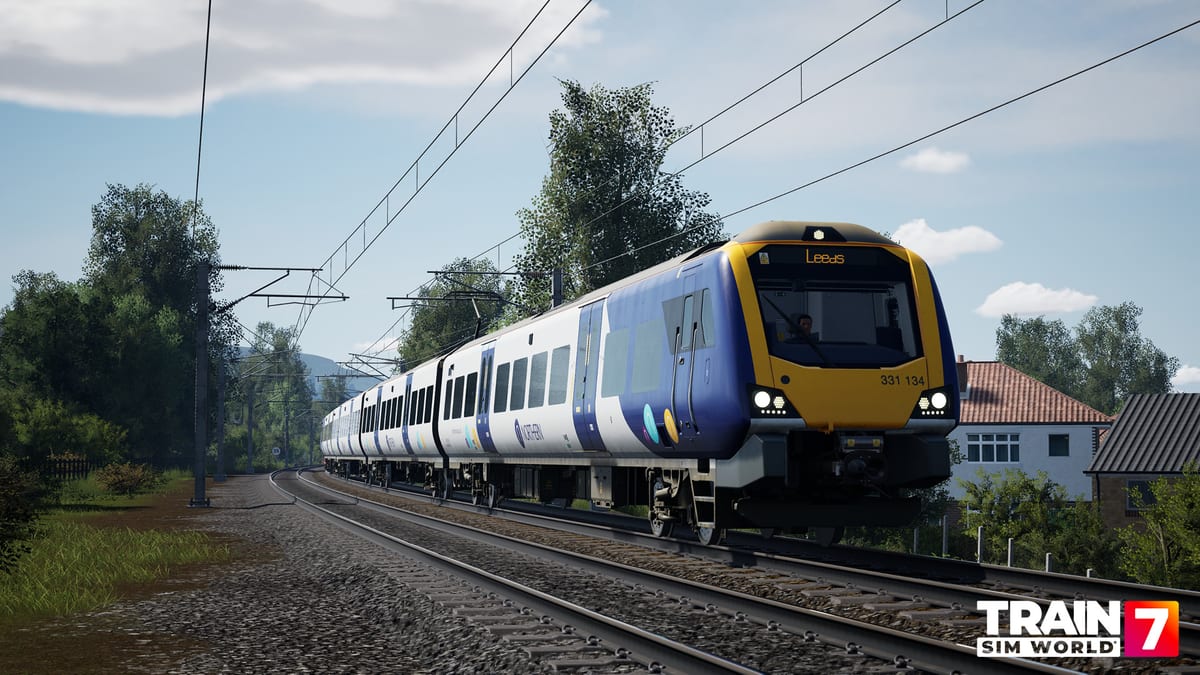
When the tutorials feel familiar, take a Class 331 stopping service on Airedale & Wharfedale. It is the gentlest paid start: Northern interiors, frequent stations, and a network that teaches doors better than a 100 km dash. Leave beginner controls on. Your job is direction, throttle, brake, and the correct door. Do not hunt pantograph switches yet.
Deluxe extras such as the Class 333, ICE 4, and GP49H-3 have their own Training Center modules once those add-ons are installed. They are listed on deluxe locomotives. Do not make ICE 4 the first cab after the yard. Speed without a door drill is how people bounce off night one.
If you only own Free Starter, stay in the Center until 15 September, then buy the route you actually want instead of a full Standard basket. Florida is the diesel classroom. Nürnberg–Würzburg is the speed classroom. The Center is the classroom before those classrooms.
Mode tiles after this are explained in game modes. Timetable is the living railway. Journey is the brochure. Freight Hauler is random wagons on core routes only. Come back here only if a later loco tutorial appeared in Train Modules. Otherwise pick the matching procedure from the guides hub.
Frequently Asked Questions
Quick answers to the most common questions.
When does Free Starter, and the Training Center with it, arrive?
Free Starter arrives with full launch on 15 September 2026. It is not in the Deluxe early-access window from 10 September. Deluxe SKUs already include the Center. See editions.
Do I keep Free Starter after 15 September 2026?
Yes. Once claimed it is yours to keep. After that date you can buy core routes and Deluxe locos separately.
Should I use beginner controls here?
Yes. Turn them on under Settings > Controls, then follow simplified controls. Finish passenger and coupling modules before you leave the yard.
What should I play after the Training Center?
A Class 331 stopper on Airedale & Wharfedale. Leave beginner controls on. Do not start with ICE 4.
Do I need Dovetail Live for the Training Center?
No. Tutorials, Free Roam in the Center, and Freight Hauler work without Live. Live Weather and Creators Club sharing do need a login.
Where is the Training Center in the menu?
Main Menu > Training Center. Start Journey is the beginner path. Pause > Help also opens basic and train operations, but save first if you jump to a tutorial.