
Train Sim World 7 Graphics Settings
DX12, DLSS 4.5, FSR 4, Epic draw distance, Enhanced Lighting, and FOV from 60 to 120.
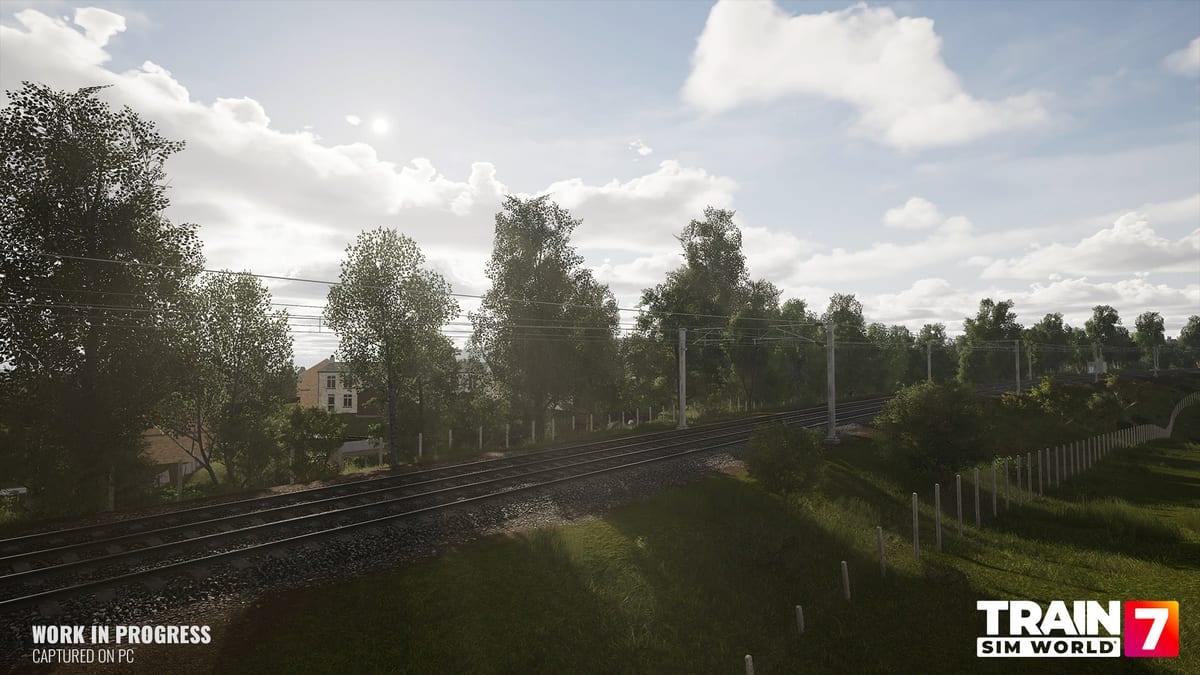
Train Sim World 7’s PC picture is a new stack on a familiar sim. DirectX 12 is the default. NVIDIA GeForce RTX cards can use DLSS 4.5 with DLAA. AMD Radeon RX 7000 and 9000 cards can use FSR 4. Other GPUs fall back to FSR 3. A new Epic preset extends draw distance and shadows past Ultra. Enhanced Lighting is the TOD4 option for newer routes. Field of view scales from 60 to 120 degrees.
This page is the settings desk, not the GPU shopping list. Match hardware on system requirements first. Full launch is 15 September 2026. Deluxe and Ultimate editions open early access from 10 September 2026, which is when those SKUs can A/B presets in the real client. Console versions use their own locked targets; the options below are PC.
The simulator is single-player. Latency from frame generation only has to feel right for one driver on one desk.
DirectX 12 and upscalers
DirectX 12 is the default renderer. Dovetail says it improves compatibility with newer cards and can raise average frame rate in some scenes. Start on 12.
DLSS 4.5 on RTX reconstructs a lower internal resolution back to the monitor. Quality is the usual first stop. DLAA keeps native resolution and costs performance: use it on a 3070-class card or better, and Quality DLSS on a 2060-class card.
FSR 4 is the AMD machine-learning upscaler for RX 7000 and 9000. Other GPUs drop to FSR 3. Quality is Dovetail’s usual recommendation; Balanced and Performance buy frames and add breakup.
Frame generation interpolates extra frames. Motion looks smoother; input latency goes up. Couple it with a cap you can already hold, rather than using it to rescue 20 fps. Brake timing is where extra latency shows up.
The official Epic comparison below is Dovetail’s before-and-after for the new preset. Watch it, then set a target you can hold.
Epic, Ultra, and Enhanced Lighting
Epic is a new quality level above Ultra. Dovetail designed it for modern hardware: longer draw distance, higher LOD range, and shadows that travel farther. Pop-in on trees and track should drop. The FAQ Epic column is 4K at 30–60 fps on a Core i7-14700K or Ryzen 7 5800X3D, 32 GB RAM, and an RTX 5070 12 GB or RX 9070 16 GB. You may still need upscaling and frame generation to hold that range.
Ultra remains the 1440p–4K step for an RTX 3070 8 GB or RX 6800 8 GB. High remains the 1080p 60 fps step for an RTX 2060 6 GB or RX 5700 8 GB. Low remains 720p 30 fps for a GTX 750 Ti or RX 460. Mixing a High preset with Epic shadows is possible, but start from a named preset and change one slider at a time.
Enhanced Lighting is the TOD4 option. It is aimed at newer routes that use that lighting model, including the Train Sim World 7 core maps. Community notes from the collaboration highlight cleaner horizon shadows, more natural dawn and dusk, and light shafts. Turn it on after you have a stable frame rate. It is not a substitute for Epic, and it is not free on a minimum GPU.
Foliage and effects are medium-to-high cost. View distance is cheaper on paper but CPU-heavy in busy stations. Texture quality is mostly VRAM. V-Sync on with a 60 fps cap is a sensible desktop default. Anti-aliasing is overridden while an upscaler is active.
Field of view and comfort
FOV scales from 60 to 120 degrees. Lower values look more telephoto and can feel faster. Higher values show more of the desk and the platform and can reduce motion sickness. Cab-forward drivers often sit around 70–85. Camera-outside viewers can go higher. Change FOV after the preset, not before, so you do not blame a wide lens for a soft upscaler.
Photo Mode and external cameras benefit from Epic draw distance more than the cab camera does. If you drive in the seat, spend GPU budget on shadows, lighting, and anti-aliasing before you max foliage.
Suggested stacks
- GTX 750 Ti / RX 460: Low, 720p, FSR 3 Quality, no frame generation, Enhanced Lighting off.
- RTX 2060 6 GB / RX 5700 8 GB: High, 1080p, DLSS or FSR Quality, frame generation optional, Enhanced Lighting on if you still hold 60.
- RTX 3070 / RX 6800: Ultra, 1440p, DLSS/FSR Quality or DLAA, frame generation optional.
- RTX 5070 12 GB / RX 9070 16 GB: Epic, 4K with DLSS/FSR or DLAA, frame generation if you want a smoother cap and accept the latency.
- Steam Deck: 1280x800, Medium, FSR Quality, frame generation on, 30 fps. Full Deck notes sit on system requirements.
Download in the right order with how to download, then take one Training Center run on controls before you chase Epic. SKU choice is on editions. New drivers should still use getting started and simplified controls. Pick a first map from the routes hub. Deluxe traction is on Deluxe locomotives. Older routes are on compatible content. Clocks are on the launch page; later add-ons on the roadmap.
Set a frame rate you can hold, then drive.
Frequently Asked Questions
Quick answers to the most common questions.
Is DirectX 12 the default in Train Sim World 7?
Yes. Dovetail made DirectX 12 the default for newer hardware and possible frame-rate gains. Upscalers still need supported GPUs.
Should I use DLSS or FSR?
RTX cards should use DLSS 4.5, with DLAA if you can afford native-resolution anti-aliasing. RX 7000 and 9000 cards should use FSR 4. Other GPUs fall back to FSR 3.
Why not leave frame generation on?
It interpolates frames and raises input latency. That lag shows up when you notch a brake. Use it when your unaided frame rate is already stable.
What does the Epic preset change?
Longer draw distance, higher LOD range, and better shadows beyond Ultra. The FAQ Epic box is a 4K 30–60 fps target on RTX 5070 / RX 9070 class hardware.
What FOV range can I set?
60 to 120 degrees. Lower is tighter and more telephoto. Higher shows more of the cab and can reduce motion sickness.
What is Enhanced Lighting?
A TOD4 lighting option for newer routes. It improves shadows and dawn/dusk balance. Turn it on after the preset is stable, not on a minimum 2 GB card.